

You want a new website—one that looks great, clearly explains what you do, and that you can continue to build on yourself.
But as soon as you start looking around, the questions start popping up. Which platform? How many pages? Should it include a booking system? And suddenly everyone’s talking about AI, when all you really want is for your contact form to end up in the right place.
With custom web design, we assess what your business needs: how you present your offerings, what actions visitors should be able to take, and what work will come your way as a result. We tailor the design and technology accordingly.
You don't need to bring a list of plugins with you. Telling me what you're having trouble with today helps me a lot more.
What does "custom web design" actually mean?
‘Custom’ can mean all sorts of things. One web designer might mean a customized design. Another might develop features for which there isn’t yet a suitable solution.
So feel free to ask what exactly you're getting.
For me, it all starts with your business. Who do you want to reach? What do you offer? What information do people need before they get in touch? And what do you want to be able to customize yourself?
That determines how we structure the website.
A workshop instructor might need a list of workshops and a registration form. A bakery wants to showcase its products, clearly list its hours of operation, and accept orders. That requires different choices, even if both websites have five pages.
Does everything have to be specially programmed, then?
No. A website can be tailored to your business while still using existing components. Think of WordPress, a page editor, or a plugin for scheduling appointments.
If an existing solution does exactly what you need it to do, it’s perfectly fine to use it. Custom development comes into play when your requirements don’t fit well with that solution.
Be sure to ask why a particular option was chosen and what that means for management, costs, and future changes.
Still unsure about the platform? In my article about WordPress or Wix You'll learn what to look out for.
Step 1: Explain what your website needs to do
‘I want a fresh, professional website.’
I see. But to get started, I need a little more information.
Do you want people to understand your offer and book a consultation? Do you want to sell products? Do you keep getting questions whose answers should already be on your website?
Also tell us what's not going well right now. For example:
- Visitors can't find the service that's right for them;
- You receive requests that lack the information you need;
- You enter the registrations into a separate list;
- You can't edit the text yourself without the formatting shifting.
We can take a closer look at that.
And sometimes it turns out that your current website is already capable of a lot. In that case, we’ll first see what can be adjusted. You don’t have to start from scratch just because one part isn’t quite right.
Step 2: Determine the structure and content
Before we choose colors and fonts, we'll take a look at which pages you need and what will go on them.
What does someone who’s visiting you for the first time want to know? How do you explain your services? What questions come up most often? And where can someone contact you, place an order, or make an appointment?
You know your own offerings inside and out. Your visitor might have just come from Google and has no idea who you are yet. They need to be able to follow the explanation, too.
Texts are part of that preparation
It's hard to figure out how much space you'll need when no one knows yet what will go there.
That’s why we agree in advance on who will write the text, which photos are available, and what’s still missing. Maybe you already have some usable material. Maybe we’ll need to help you organize it a bit first.
Unfortunately, a blank page with ’text to follow’ won’t fill itself. Not even if the design is really beautiful.
Step 3: Refine the design, including for mobile devices
The website is now taking shape. The colors, typography, images, and layout should align with your brand and provide a pleasant experience for your visitors.
Can you read the text easily? Is the most important information easy to find? Do you understand what happens when you click a button?
We look at that on a cell phone, too. A form that’s easy to navigate on a desktop can suddenly become quite a hassle on a small screen.
For example, you don't want a button that falls off the screen or a menu where you first have to figure out how to close it.
And you’ll need to be able to manage the website on your own afterward. That’s why we’ll discuss which changes you’d like to make yourself. Whether it’s uploading a new photo, updating business hours, or adding a project—we’ll include all of that in the setup and training.
Step 4: Build the website and lay the groundwork for search engine visibility
During construction, the design, content, and functions come together.
This also includes basic SEO: the structure that helps visitors and search engines understand your website. Think of clear page titles, a logical layout, relevant internal links, and attention to load time.
An SEO plugin can help with that. You still have to decide for yourself what a page is about and what information belongs on it.
At Diggiehippie, basic SEO is included in our website development services. We’ll discuss an in-depth keyword analysis or an ongoing SEO project separately.
And no, a new website doesn't automatically mean you'll be at the top of Google next week. I'd rather not make any promises I can't keep.
Step 5: See which links can save you time
A new website is a good opportunity to take a look at what's happening behind the scenes.
Perhaps your customer fills out a form, after which you still have to enter the information somewhere else. Or maybe people have to wait after making a reservation for you to manually send them practical information.
We'll take a look at which steps come up regularly and which of those you can have your systems handle. That can be included in the website project right away, if we agree to it.
You don't have to build every future idea just yet. Start with something that's bothering you right now.
When does AI provide added value?
You don't need AI for many routine tasks. Forwarding data or sending a confirmation can often be done with standard automation.
For example, AI can be helpful when you want to summarize long, varied requests. In that case, it must still be clear who reviews the summary and what happens to it.
A chatbot isn't a standard feature on every website, either. If people are mainly looking for your hours of operation, I'd make sure to display them prominently first.
You can find more information about the options in my article on Automate customer follow-up.
Step 6: Test what your visitors will actually do
The pages are ready. Time to check if everything works.
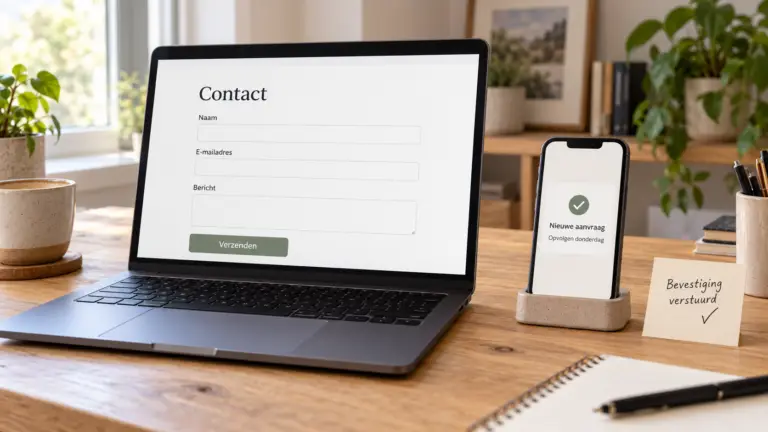
We do this by using the website just as a visitor would. Sending a message. Requesting an appointment. Placing an order, if there’s an online store.
For every agreed-upon feature, we also consider what comes next. Does the email arrive? Is the data correct? Does the next step in the workflow function properly?
Error messages also deserve attention. If someone skips a required field, it should be clear what is missing. And if a linked tool is unavailable, you want to know how the request will be handled and who will follow up on it.
Those checks are part of the job. After all, a nice-looking homepage doesn't tell you much about a confirmation email that never arrives.
How much does custom web design cost, and how long does it take?
That depends on what we're building and how much preparation has already been done.
A website with pre-written content and a contact form requires a different kind of work than a multilingual online store with booking features and integrated systems. So the number of pages is only part of the answer.
For budget estimates and recurring costs, check out my article How much does it cost to have a website built?? Read more. For your project, we'll outline what's included, what you need to provide, and which costs are billed separately.
We also adjust the schedule accordingly. Design, content, feedback, and testing all take time. If photos still need to be taken or text hasn’t been written yet, that should be included in the schedule.
Want to compare quotes? My guide to Choosing a Web Designer helps you ask the right questions.
And after the launch?
Then you'll want to know how to proceed. What changes can you make on your own? Where can you go with questions? And who handles the technical side of things?
Agree on this before the website goes live. Ongoing support can be helpful, but you need to know exactly what it entails.
In my article about WordPress Maintenance I'll explain what tasks are involved.
Would you like a website that better suits your business?
Tell me what you do, what you want to change, and where you're wasting time right now.
During a free introductory meeting, we’ll see if we’re a good fit and what the logical next step is. If a more thorough review of your existing website or systems is needed first, we’ll discuss that as a separate project.
You don't need to have your plans fully worked out yet. I'll help you with that.
 Dutch
Dutch  English