
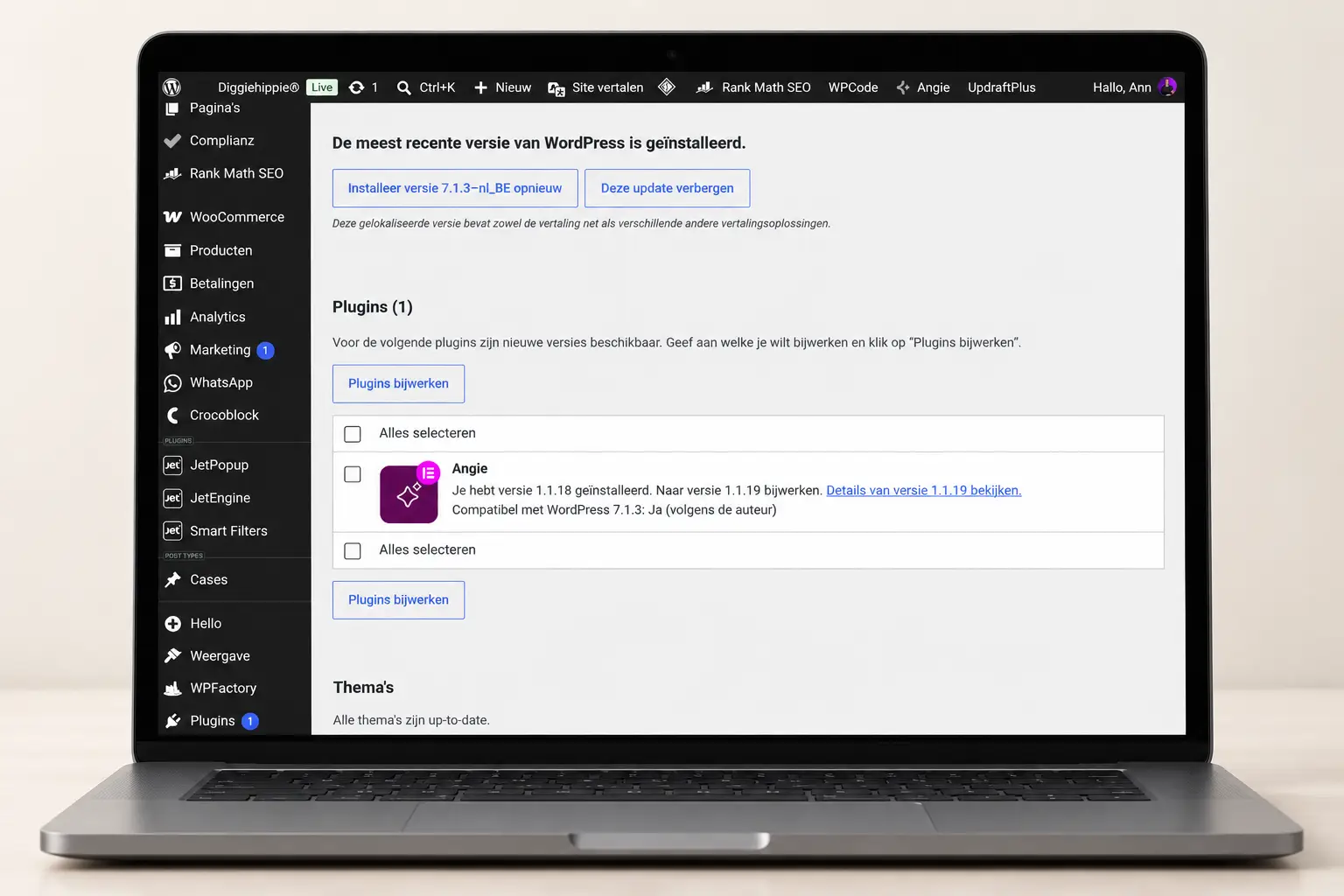
Your website is live. Your offerings are listed, your contact form works, and you can replace a photo yourself. All set.
Until you log in and suddenly find twelve updates waiting for you.
Do you have to click on all of them? Could you break something? And if your website is working fine, why would you mess with it?
WordPress maintenance keeps your website up to date and helps ensure that everything is still working as it should. Think about updates, backups, security, and testing forms or payments. You can handle some of that yourself or outsource it.
What you need most of all is a clear agreement on who will take over. Otherwise, that red dot indicating updates will just stay there.
What does WordPress maintenance involve?
WordPress is the foundation of your website. On top of that, you usually use a theme and plugins for things like forms, an online store, or additional design options.
Those components receive updates. Sometimes to add a new feature, and sometimes to fix a bug or a security issue.
Maintenance means keeping track of those changes, providing a way to roll back if necessary, and verifying that your website still functions as intended afterward.
Your homepage may look great, but your contact form might not be delivering emails anymore. That's why you also need to check what's happening behind the scenes.
Perform updates and then verify them
Installing an update often takes just a few clicks. The real work lies in the preparation and the follow-up checks.
Before you begin, make sure you have a recent backup. For major changes or a website with critical features, a test environment can be useful: a separate copy where you can first check what changes are being made.
After the update, go over the most important parts:
- Do the important pages still load properly?
- Does the menu work on your cell phone, too?
- Can you submit the contact form?
- Will the application be sent to the right place?
- How do you order or book something, if your website offers that option?
You don't need to check every sentence on your website after every minor update. Just choose the sections that are critical to your business.
For a service provider, that could be the application form. For an online store, it also includes the ordering process.
Backups: Can You Actually Use Them to Restore Anything?
“My hosting provider makes backups.”
All right. Do you also know how often, what's in it, and how to put something back?
A complete WordPress backup includes both your files and your database. You’ll also want to know how long the backups are retained and whether you can access them if your website or hosting account is down.
How often you need to back up your data depends on what changes. For an online store that receives orders daily, an outdated backup is a bigger problem than for a website whose content rarely changes.
So, check the following:
- exactly what is being backed up;
- how often that happens;
- where the copies are;
- how long they are stored;
- Who can help with the recovery?.
And test the restore process from time to time in a separate environment. A notification that a backup was successful doesn't necessarily mean you know how to restore it.
WordPress explains why backups of files and databases are needed together to restore your website.
Follow Up on Security
You don't have to be a large company to have to deal with unauthorized login attempts or spam.
Maintenance can help minimize risks. For example, by keeping up with updates, monitoring access, and reviewing which plugins are still necessary.
Use strong, unique passwords and two-step verification whenever it's available. Also, grant users only the access they need to do their jobs.
A security plugin can be part of that approach. But you still need to know who is reviewing the alerts and what happens to them. An alert that sits unread in an inbox for months isn't much help.
No single approach can make your website invulnerable. However, you can ensure that problems are detected more quickly and that you know what to do when they arise.
Testing forms, emails, and links
This part is easy to overlook. The form is still there, isn't it?
Yes. But try doing it the way a visitor would.
Fill it out, send it, and check to make sure the application actually goes through. If you're using a confirmation email, check that as well.
Does the request continue on to MailerLite, Airtable, or another tool? If so, check that in the next step.
An automated workflow might start off well on your website but then get stuck later on. It’s therefore helpful to agree on where control ends: just at the website, or also at the linked services?
For example, you can use this test:
I submit a request. It is routed to the appropriate email inbox or tool. The visitor receives the agreed-upon confirmation. Any follow-up task is created.
That's a lot clearer than “the form works.”.
Speed and Daily Use
Maintenance is also about how smoothly your website works.
A page may load more slowly after you've added large images or installed an additional plugin. A button may be difficult to access on mobile devices. A link may point to a page that no longer exists.
So be sure to check your website regularly as a visitor—on your cell phone, without being logged in.
You don't have to obsess over every number in a speed test. Start with what people actually notice: Does the page load quickly, is the text readable, and can they easily do what they came here to do?
How often should you maintain WordPress?
There is no set frequency that works for every website.
A simple informational website requires a different level of maintenance than an online store that receives orders every day. Moreover, you don’t want to wait until some random maintenance day to install important security updates.
As a practical starting point:
| Component | What do you take into account? |
|---|---|
| Updates | Check for available updates regularly and review important security updates in a timely manner. |
| Backups | Adjust the frequency based on how much data and how many changes you can afford to miss. |
| Forms and Payments | Test after making relevant changes and include them in routine checks. |
| Access and Licenses | Periodically check who has access and which services need to be renewed. |
| Contents and Links | Also check to make sure your listing, contact information, and links are still correct. |
You can often take care of that last point yourself. Your web designer won't automatically know that your phone number has changed or that you no longer offer a certain service.
What can you do on your own?
Quite a lot, if you're willing to set aside some time and understand what you're checking.
You can manage your contact information and listings yourself, check links, and test forms. You can also manage updates, as long as you have a backup and a clear recovery plan.
What I would avoid: clicking on everything right before your laptop shuts down, without checking your website afterward.
Plan it for a time when you can check what has happened—and when you can get help if it turns out to be necessary.
Do you come across an error message you don't understand? First, figure out what it means. Installing another plugin isn't necessarily the solution.
When is it a good idea to outsource WordPress maintenance?
If it keeps getting pushed to the bottom of your to-do list. If you're unsure about updates. Or if your website is important enough that you want someone else to handle the technical follow-up.
You don't have to feel like spending your free evening dealing with plugin notifications.
Outsourcing is especially useful when it’s clear what the other party is doing. Simply saying “maintenance included” doesn’t tell you much.
Question about a maintenance package:
- What updates and checks are performed;
- how backups and recovery are handled;
- whether forms, payments, and links are also tested;
- how to report a problem;
- what level of availability and response time have been agreed upon;
- what is included in the package and what constitutes extra work.
Also ask what happens if an update causes a problem. Will it be investigated, will the change be reversed, or will a separate quote be provided first?
That's something you want to know before you need it.
How much does WordPress maintenance cost?
That depends on the website and the terms of the agreement.
A package for a simple website may involve less work than managing an online store with payments and related services. Support and availability also make a difference.
So, compare what services you get for the price. A low monthly fee doesn't mean much if repairs, inspections, and assistance are billed separately each time. A more comprehensive package, on the other hand, is only useful if you actually need those services.
Also ask about costs that are separate from maintenance, such as hosting, domain names, and software licenses.
In my article about the cost of a website I'll discuss those recurring costs in addition to the construction cost.
How do I go about doing that on Diggiehippie?
First, I'd like to know how your website is used and what's important to you.
A blog where you post occasionally requires different checks than an online store or a website with an automated sign-up process.
Next, we'll discuss what technical follow-up and support you need—what I'll manage, what you'll continue to handle yourself, and where the boundaries of the service lie.
For example, would you like us to monitor an integration with your other tools? If so, we’ll explicitly include that in the agreement. Hosting management, website maintenance, and automation support are not automatically included in the same package.
That way, you'll know what I can help you with.
Frequently Asked Questions About WordPress Maintenance
Are automatic updates enough?
They can help keep components up to date. But they don't check whether your confirmation email is being delivered or whether your ordering process is still working properly. So backups and checks remain important.
My website is still working. Do I still need to perform maintenance?
Yes, the visible pages don't tell the whole story. Updates, backups, and checks help minimize and detect problems. Waiting until something visibly breaks doesn't make it any easier.
Is maintenance included with my hosting plan?
That depends on the provider and the plan. Ask whether the service covers just the server, or also includes WordPress, plugins, and checks of your website's functions.
Do new pages and updates fall under maintenance?
Not automatically. A new page, redesign, or additional feature is different from technical maintenance. Some packages include time for modifications; others do not. Check the terms of the agreement.
Can I outsource maintenance for an existing website?
That's often possible. First, we need to understand how the website is built, what access and licenses are available, and whether there are any existing issues. Sometimes, repairs or cleanup are needed first.
Would you like someone to follow up on this?
Maybe you know exactly how to manage your website, but you just can't seem to get around to it. Maybe you look at those updates and think: I'd rather not mess with them.
Tell me how your website is used and what you want to outsource. Then we'll determine what follow-up is needed and what you can continue to do yourself.

 Dutch
Dutch  English