
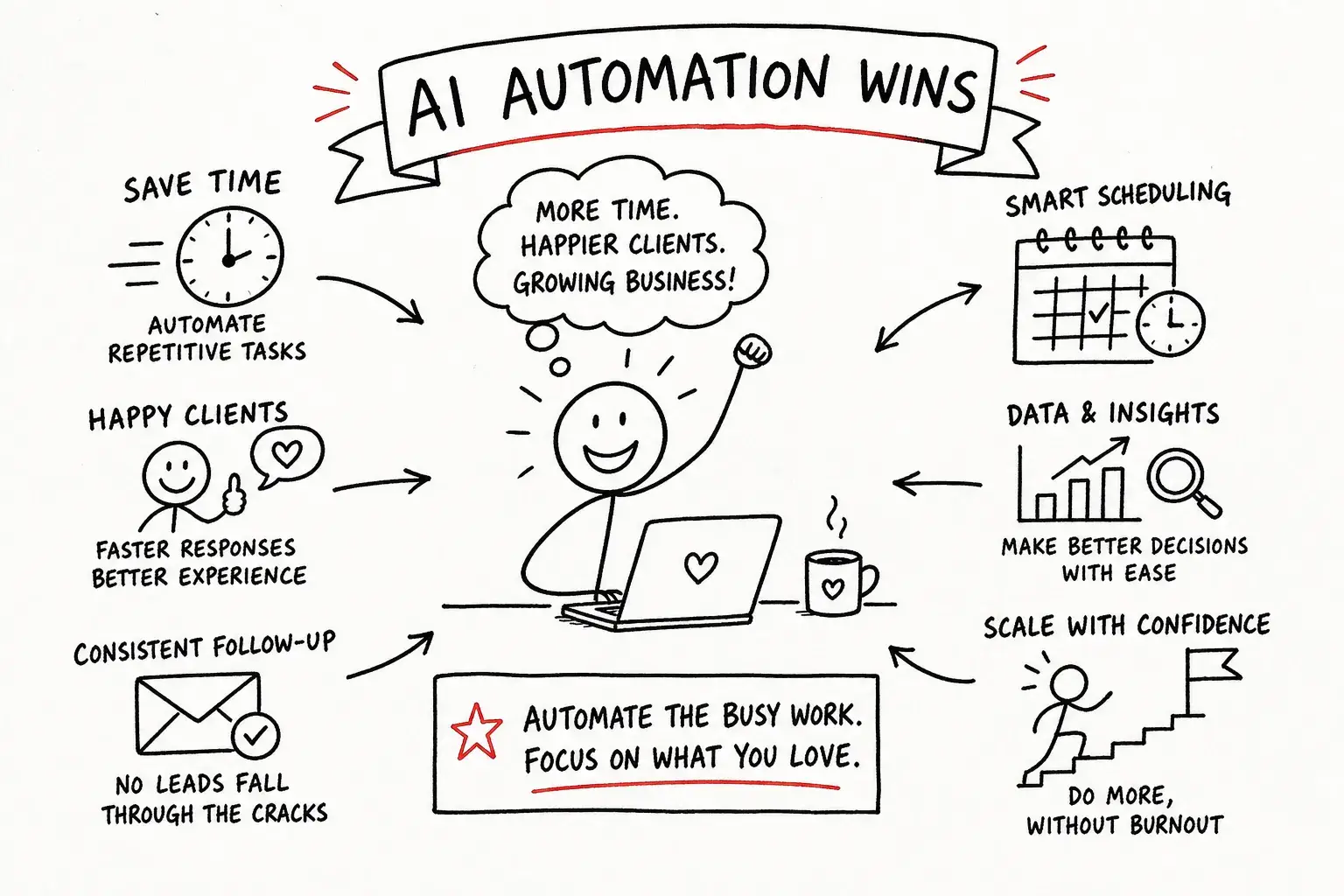
At AI Automation Many people immediately think of complex systems, massive budgets, and companies with a full-fledged IT department.
Whereas for a small business owner, it's often about much simpler things.
A potential client fills out your contact form on Saturday but doesn’t hear back from you until Monday. You send the same intake form over and over again for every new client. You answer the same question via email for the umpteenth time. Or you suddenly realize three days later that you still needed to follow up with someone.
In and of themselves, those are all small tasks.
But try adding them up.
Often, it's not your actual work that's the problem. It's all those little administrative tasks on the side that keep demanding your time and attention.
And that’s exactly where automation—whether or not it involves AI—can make a huge difference.
At Diggiehippie®, I build strategic websites, automation solutions, and AI integrations for freelancers and small businesses. Not to cram as much technology as possible into your business, but to ensure that your systems take work off your hands.
Not the other way around.
In this article, we'll look at three automations that let you start on a relatively small scale but can make an immediate difference.
What does AI automation actually mean?
First, something important: Not every automation process requires AI.
If someone fills out a form and then automatically receives a confirmation email, that is automation.
There's no need for AI to be involved.
AI becomes interesting when your system has to do more than just do, but first, something has to understand.
For example, suppose someone uses your contact form to explain in their own words what kind of help they need. AI can analyze that text, identify the type of request, and then forward that information to the appropriate department.
Or consider a chatbot that understands that:
“How much does a website cost?”
“What kind of budget should I plan for?”
and
“What are your prices?”
are actually variations on the same question.
That's true for me AI Automation Here's where it gets interesting: Use AI when it actually adds value, and use standard automation when that's perfectly sufficient.
Just using AI because we can?
That won't automatically make your company smarter.
Where do you actually waste all that time?
For self-employed people, the biggest time drain is often not the work that clients pay them for.
It's in everything around it.
Responding to emails. Sending intake forms. Copying data from one system to another. Sending reminders. Following up on leads. Confirming appointments. Answering the same practical questions over and over again.
Five minutes here.
Ten minutes there.
I'll just quickly send that email.
On its own, no single task is a big deal. And that's exactly why we often keep doing them manually for years.
Until you start adding up how much time you spend on it each week.
Good automation doesn't take over your entire business. Above all, it eliminates the repetitive tasks that don't actually require your personal involvement.
So that you have time left over for the work that clients specifically come to you for.
3 AI Automations I'd Start With
1. An AI chatbot that handles frequently asked questions
Every entrepreneur has them.
The questions you can now almost answer without reading them all the way through.
How much does it cost?
How does it work?
How long does it take?
Do you also work with…?
What do I need to provide myself?
Of course, you could create an FAQ page for that. And that's a good idea in any case.
But not everyone reads them.
An AI chatbot can use the information on your website, your FAQs, and any other documentation to provide visitors with immediate answers.
Tools like Tidio and Chatbase let you populate a chatbot with your own information and then embed it on your website.
But the goal isn't to build a bot that pretends to be you at all costs.
On the contrary.
A good chatbot also knows when to say something not knows. He sets clear boundaries and refers someone to another person when a question is best handled by a human.
This way, a potential customer can get an answer to a simple question even in the evening or on the weekend, without you having to be available around the clock.
And you won't have to type the same email for the 38th time.
Everyone is happy.
2. Automatically follow up on leads
Someone visits your website, looks at what you have to offer, and fills out your contact form.
Perfect.
But at that moment, you're in a meeting. Or visiting a client. Or you're out running errands. Or it's Saturday night, and you've actually decided not to sit in front of your laptop.
So the application will be put on hold for a while.
That doesn't have to be a disaster in itself, but a potential customer naturally doesn't know why there's been no response. In the meantime, they might contact three other companies.
A simple automation I can arrange that initial follow-up for you.
For example:
Contact form submitted → immediate confirmation → automatically save information → set up follow-up → stop as soon as the person responds or books an appointment.
With tools like Make, Zapier, or n8n, you can connect your website to your email inbox, CRM, Airtable, MailerLite, or other systems you already use.
And here, too, AI could potentially add an extra layer.
For example, a longer request can be summarized automatically. AI can identify which service the request is about or place a lead in the correct category.
But if standard automation is sufficient, we'll just stick with that.
You really don't need to use an AI model just to send a confirmation email that says, “Thank you for your request.” 😉
3. Automate Your Intake and Onboarding Processes
A new customer says yes.
Hooray!
And then the next task begins.
You send the welcome email.
Next, the intake form.
A few days later, you notice that it still hasn't been filled out.
So you send a reminder.
Next, you'll need to schedule an appointment and enter the customer's information in the correct field.
Before you know it, a single new customer has created a small administrative project.
That is a process that lends itself perfectly to automation.
For example, you can start a flow as soon as someone becomes a customer.
The appropriate welcome email is sent. The intake form is submitted automatically. A reminder is sent if necessary. The customer can schedule an appointment, and the information is automatically sent to where you need it.
You'll receive a notification when you actually need to do something.
Not only does that save you time, but it also makes the process feel much smoother for your customer.
They don't have to wait until you remember to send the next step.
What does an AI automation setup like this look like?
Less spectacular than you might think.
And that's actually good news.
You usually don't need fifteen new tools to make your business run more efficiently.
A typical setup might include, for example, a form on your website, MailerLite or ActiveCampaign for emails, Make or n8n to connect everything, a booking tool for appointments, and Airtable or a CRM to keep track of your data.
And at some point in that process, AI can be incorporated when information needs to be interpreted, summarized, or processed.
The most important thing isn't how many tools you use.
The most important thing is that they work well together.
Your contact form shouldn't be an island.
Your booking system shouldn't require you to retype all that information somewhere else afterward.
And if you're using three different tools that all contain information about the same customer, you don't want to be the human API between those three systems.
A simple automation system that works reliably is much more valuable than an impressive AI system that requires your attention every other day.
Your website is often the starting point for your automations
That's also why I Websites and Automations Don't think of them as two completely separate things.
Your website is often where it all begins.
Someone is filling out a form.
Schedule an appointment.
Buy a product.
Download something.
Or ask your chatbot a question.
These are all actions you can take to move on to the next step.
Your website can automatically pass that information on to the rest of your systems, after which the appropriate automation takes over.
Without such a link, something else usually happens.
You'll receive a form via email.
You copy the data into your CRM.
You send the reply yourself.
You create a task somewhere to contact that person again later.
After that, you'll need to submit another form manually.
It works.
But at that moment, I am you the one that connects all your tools.
And personally, I think an entrepreneur is pretty expensive middleware. 😅
A strategic website must therefore do more than just look good.
She needs to be able to work with others.
Before and After Automation
Suppose, as a coach, you receive a few new inquiries each week.
On Saturday evening, someone will fill out your form.
Without automation, that request will remain in your inbox until you return to work.
On Monday morning, you'll see the email among all your other messages. You reply. Then, if necessary, you send a booking link. Once the appointment is scheduled, you send an intake form.
A few days later, check to see if that form has been filled out yet.
None of that is difficult.
But you have to take the initiative to set each step in motion yourself.
With effective automation, that changes.
The request is received, and the potential customer immediately receives a confirmation.
The data is being saved.
If necessary, a follow-up is automatically scheduled.
Does that person schedule a meeting? If so, the follow-up stops and the next automation can begin.
Will that person become a customer? If so, the intake form is submitted.
If the form hasn't been filled out after a few days, a friendly reminder can be sent automatically.
Meanwhile, you’re still the one leading the conversation. You decide whether someone is a good fit for you. You do the work that the client hired you to do.
Automation won't take your job away.
She simply makes sure you no longer have to personally knock over every little administrative domino.
How do you decide what to automate first?
Above all, don't try to automate your entire business right away.
That sounds ambitious.
In practice, you usually end up with six half-finished flows and a mild headache.
Start with one process.
Preferably one that makes you think, on a regular basis:
“Do I have to do this again already?”
Next, write down exactly what happens.
What steps do you take every single time?
What information do you copy from one place to another?
Which emails do you send over and over again?
In what situations do you need to keep people on their toes?
And at which steps is your own judgment truly necessary?
The documents that recur in the same way time and time again are usually the best candidates for automation.
Build one flow.
Try it out.
Make sure it works reliably.
And only then should you look at the next one.
How do you know if your automation is working properly?
Good automation is actually pretty boring.
She's just doing her job.
You don't have to check every morning to see if everything is still working. You don't have to constantly fix errors. And you certainly don't need an extra spreadsheet to check whether your automation has actually automated what it was supposed to.
A request comes in and is routed to the right place.
A customer receives the correct information.
A reminder is sent when necessary.
And you'll be involved when something is actually needed from you.
On the other hand, if you constantly have to check whether everything went smoothly, the solution isn't to add even more automation on top of that.
Get the basics right first.
Then expand.
When is it a good idea to hire someone?
Make, Zapier, n8n, and all kinds of AI tools make it quite easy these days to build your own automations.
But know how Figuring out how to automate something isn't always the hardest part.
The more important question is:
What should you automate?
After all, even a bad process can be automated perfectly.
Then you'll just end up with a bad process that runs automatically. 😅
That's why I prefer to look at the big picture first.
Where does the information come in?
What happens to it after that?
Which steps take up unnecessary time?
Where are mistakes made?
Where do leads get stuck?
Which steps could be eliminated entirely?
And where can AI actually make a difference?
Only then do I look into the technical solution.
AI Flow Fix: Automating Where It Makes Sense
That's also the idea behind my AI Flow Fix.
We don't start with the tool.
And certainly not when it comes to the question:
“Where can we apply AI?”
Let's start with what's not going well today.
Maybe you’re wasting a lot of time on your intake process. Maybe leads aren’t being followed up on consistently. Maybe you’re constantly answering the same questions. Or maybe you’ve accumulated so many separate tools that even you don’t know where the information ends up anymore.
Then we'll see how we can do that more efficiently.
This could be automated lead follow-up, an intake workflow, an AI chatbot, an integration between your website and Airtable, or a combination of these.
Without ending up with twelve new tools that you'll have to learn how to use on your own.
The goal is simple:
Your systems should work for you. Not the other way around.
Start small with AI automation
AI Automation For a small business, this doesn't have to be a huge technical project.
And actually, I usually wouldn't handle it that way either.
Start with one thing that’s unnecessarily taking up your time, attention, or patience today.
Answer the same questions.
Follow up on leads.
Submit intake forms.
Copy data from System A to System B.
Pick one.
Make sure to automate that process properly.
And only add AI when it can actually do something useful there.
Because, ultimately, good automation isn't about how much technology you can use.
The point is how much unnecessary work you can eliminate by doing this.
Not sure where to start? During A Brief Introduction We can take a look at your current workflow together and quickly identify where automation can make the biggest difference for you.
 Dutch
Dutch  English